PC Problem Detective
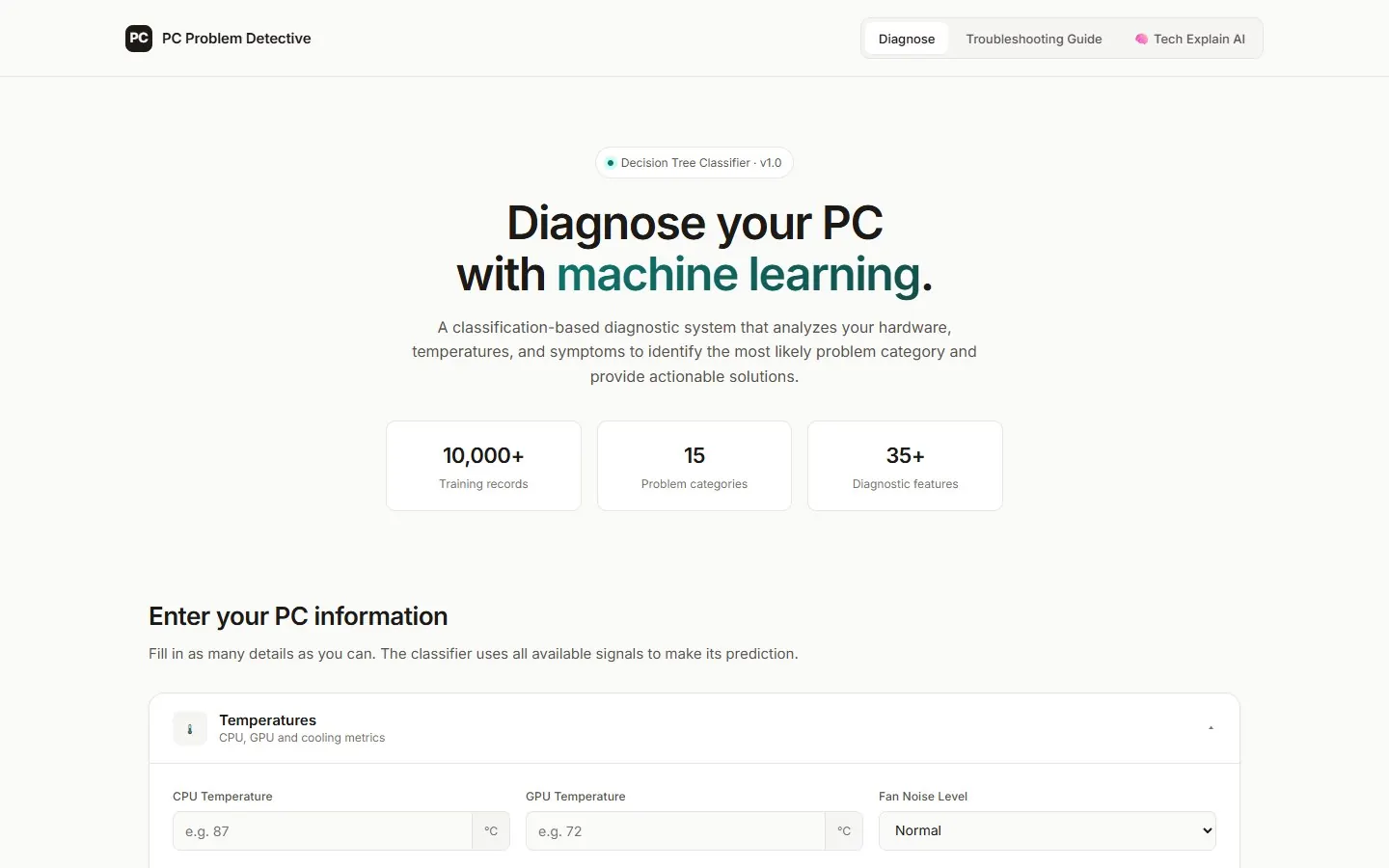
Describe what your computer is doing; a decision tree trained on 10,200 cases names the likely problem.
Overview
PC Problem Detective collects temperatures, usage, hardware age and symptoms and classifies the problem into one of fourteen categories, from overheating to malware, with the actions to take. A built-in "Tech Explain" library teaches the concepts behind each diagnosis.
Objectives
- Make PC troubleshooting approachable for non-experts
- Show a real classifier at work, not a set of if-statements
Features
- 38 input signals across temperatures, usage, hardware and symptoms
- 14 problem categories with severity, symptoms and actions
- Model details: algorithm, features, samples and accuracy
- Tech Explain topic library; AI tutor when run with the Python back end
Screens
Highlights
Design
- Light, editorial layout with grouped, collapsible input sections
- Confidence ring and severity colour in the result
Engineering
- DecisionTreeClassifier (max depth 12) trained on a 10,200-row Excel dataset: 98.7% train, 95.3% test accuracy
- The trained tree is exported to JSON and evaluated in the browser; checked identical to scikit-learn on 300 samples
Studio audit
Good model and UI, but without its server the page fell back to hand-written rules.
Found
- Without the Flask server the page silently used a rule-based scorer instead of the trained model
- Every visitor's browser was asked to connect to localhost:5000
- The Tech Explain library failed to load without the server
- Form fields had no accessible labels
Fixed
- Exported the trained tree; predictions match scikit-learn on all 300 test rows
- The local back end is only tried when the page itself runs locally
- Topic library loads from its static file; the AI tutor explains when it is unavailable
- Labelled the fields; added a meta description
- The page said 15 problem categories; the model has 14, so the figure now matches
Scored out of 10 on functionality, interface, visual consistency, performance, responsiveness, navigation, architecture, accessibility, error handling and professional readiness.
Demonstration
The trained model runs entirely in your browser. The Tech Explain AI tutor needs the Python back end and an API key, so chat is disabled here; the lessons work.
Want something like this?
Tell us what you are building. We will reply with honest questions, a clear approach and the next step.